Bug reports your developers can actually fix
One click captures the page, records every step with screenshots and logs, films the screen with your voice — and files the ticket. Your whole team, one workspace, free forever.
Free forever · no credit card · your data stays yours
▶ Watch a bug get captured — tap for sound · see the full walkthroughs
Bug Reporter is a free browser extension plus a team dashboard for reporting and managing web-app bugs. One click captures the page, the reproduction steps, the console and network logs, and an optional screen-and-voice video — then files a Jira, Linear, or GitHub ticket. Uniquely, every reported bug can become a runnable Playwright test that guards against regressions.
Report
Anyone clicks the 🐞. The page, steps, logs and (optionally) a voice video are captured automatically — no writing a novel.
Triage
QA and admins see every bug in one dashboard: an AI summary, the full evidence, statuses, a kanban board, and one-click tickets.
Fix & guard
File the ticket, fix the bug, then turn it into a Playwright test that reopens the bug automatically if it ever comes back.
Click the bug. The page is already captured.
A screenshot (or the whole scrolling page), the URL, the browser and screen — captured before your reporter types a word. Blur anything sensitive right on the shot.
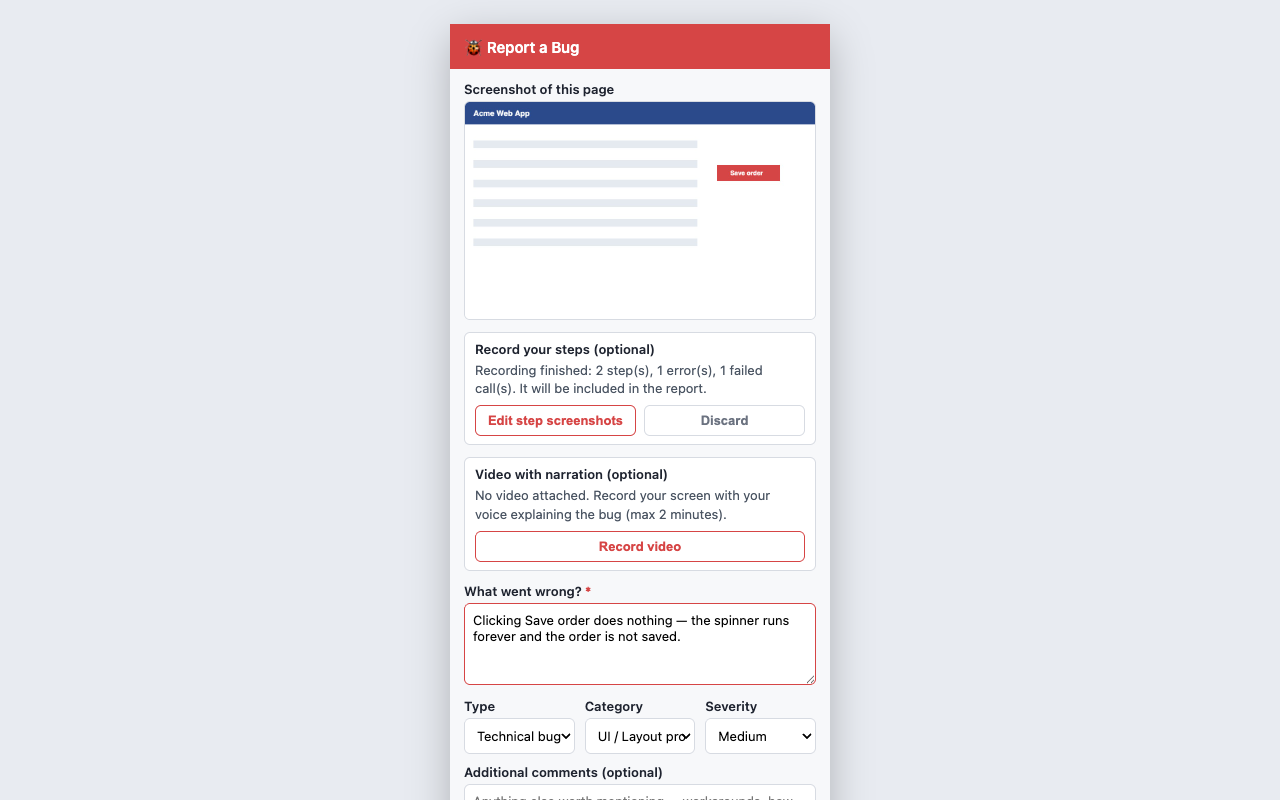
Every click becomes a numbered step
Press record and do the thing that breaks. Each click is captured with a screenshot and a red box around exactly what was pressed — plus the page's own console log and every network request, automatically.
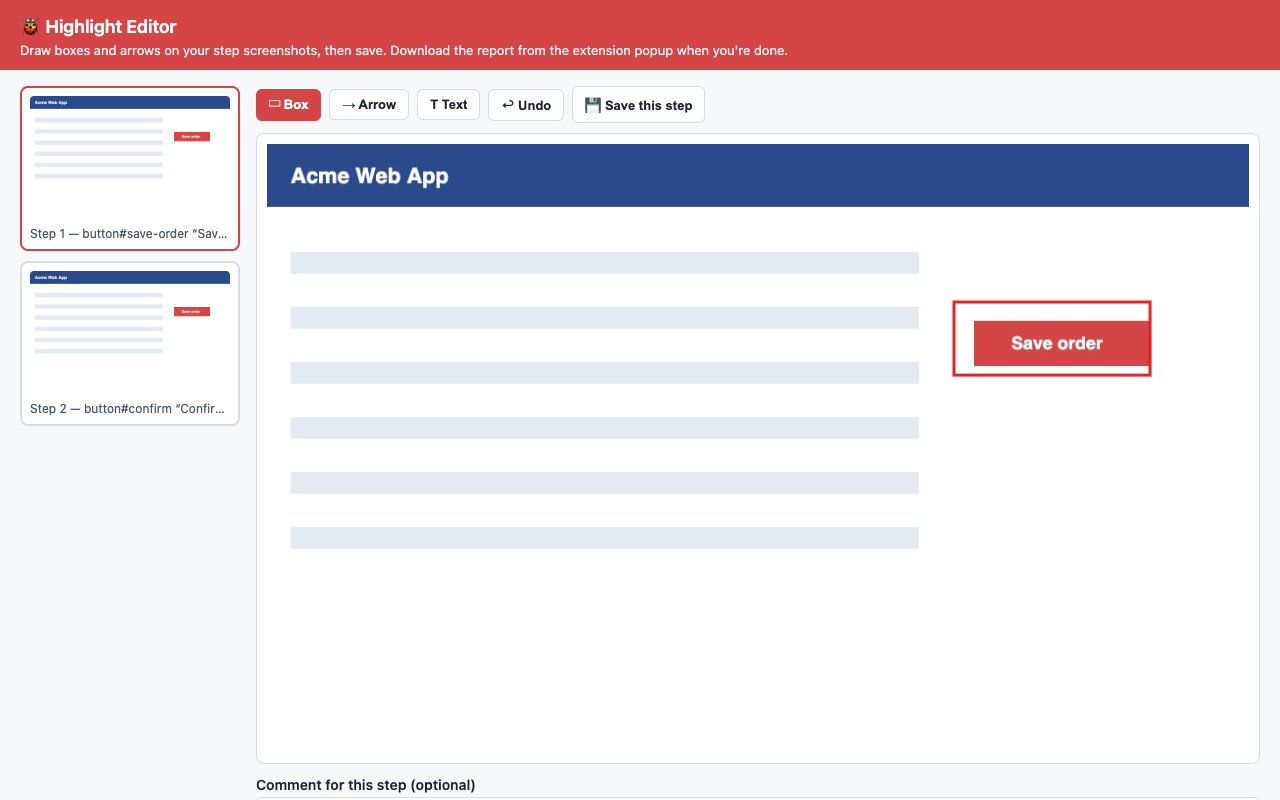
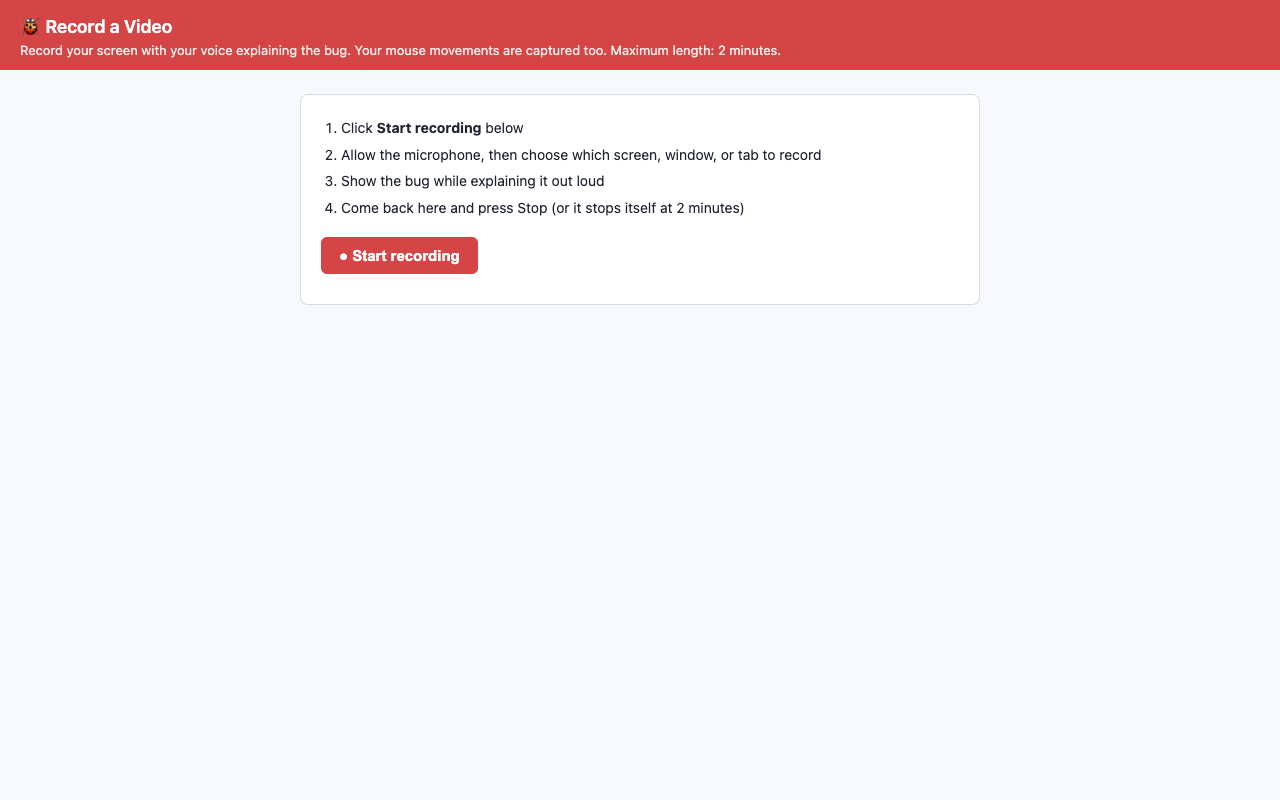
Two minutes of screen + voice beats two pages of text
Record the screen while explaining out loud. The video lands in your team's library — tag it, share it, or publish walkthroughs of how features are supposed to work.
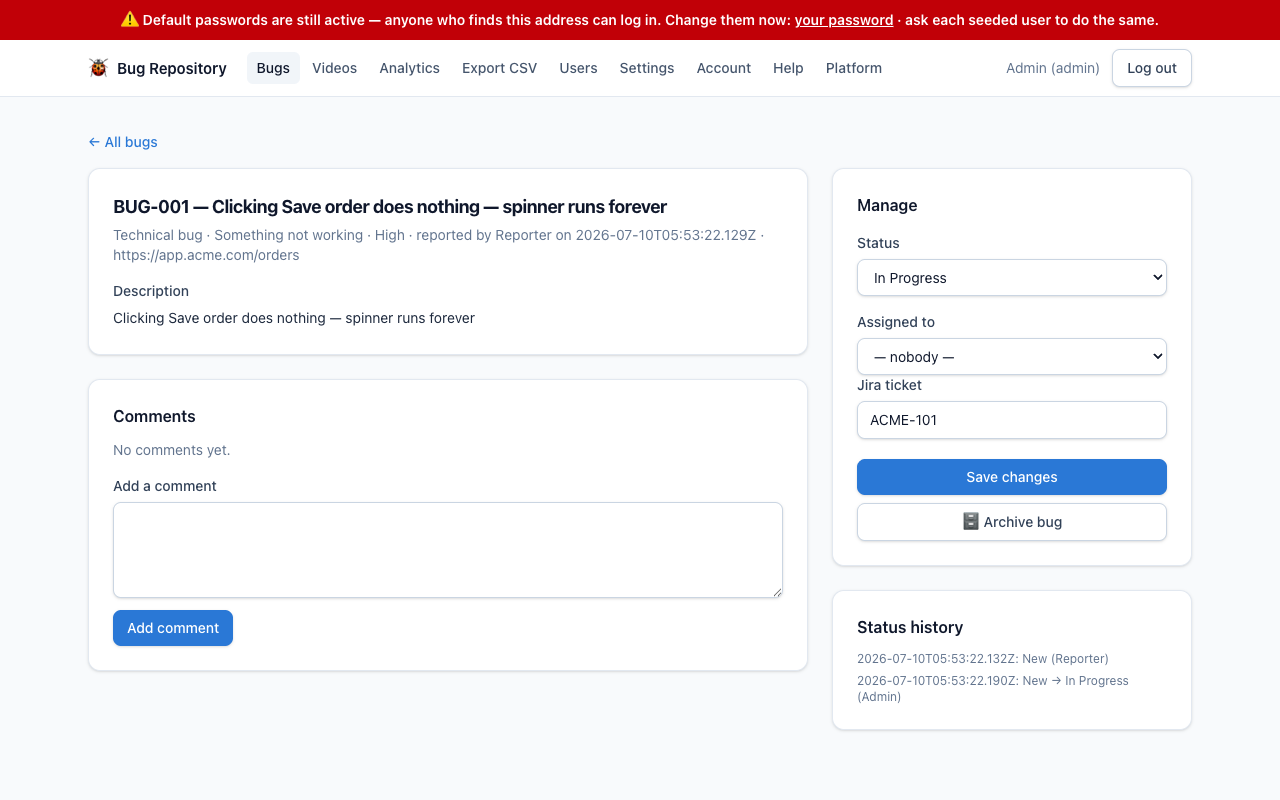
From bug to polished ticket in one click
Preview the generated ticket, let ✨ AI tighten the wording (it reads the screenshots), pick the developer, and file straight into Jira, Linear, or GitHub — with two-way Jira status sync. Or copy the text anywhere.
Our biggest release yet is live on beta.findbugs.app: a desktop agent that records full browser sessions with Playwright, AI that explains and suggests fixes, source-map stack traces, release & backend-trace correlation, rich session search, and automatic bug detection. Still stabilising — try it on beta.
Because the reproduction steps are already recorded, any bug exports to a runnable Playwright test — no one has to write it. Run it in your own CI, guard a fixed bug, and if it ever regresses the bug reopens automatically. AI even repairs the test when your UI changes.
- Unlimited bugs and teammates
- Screenshots, steps, logs & video
- Jira / Linear / GitHub / Slack
- Playwright test export & regression guard
- 100 MB free video storage, then your own Google Drive or OneDrive
Prefer we host your videos too? Talk to us.
Start now — no card, no trial clockWhat is Bug Reporter?
A free Chrome extension plus a team dashboard for reporting and managing web-app bugs. It captures the page, records reproduction steps with screenshots, grabs the console and network logs, and can record the screen with voice — then files a Jira, Linear, or GitHub ticket.
How much does it cost?
Free forever, with unlimited bugs and teammates. Each workspace gets 100 MB of free video storage; beyond that, connect your own Google Drive or OneDrive (so there's nothing to charge for). Hosted, unlimited video storage is available on request.
Do reporters need to install anything?
They can install the extension, or you can paste a one-line website widget onto your own site so visitors report bugs with no extension and no login.
How does a bug become a test?
Because the reporter's steps are recorded, any bug exports as a Playwright test. You run it in your own CI with a small runner, and once you guard a fixed bug it reopens automatically if it ever regresses — with AI repairing the test when the UI changes.
Is my data private?
Nothing leaves the reporter's computer unless they submit it, recording only happens when they press Start, what you type into fields is never captured, and API keys are stored server-side and never shown back. Nothing is ever permanently deleted — only reversibly archived.
Which browsers does it support?
The extension runs on Chrome and Chromium browsers. The dashboard works in any modern browser.
Create a free workspace and invite your team — no card, no trial clock.